Pay invoices and top up account credit with Crypto by EDIS Global. Supported currencies, blockchains, payment steps, fees and help.
EDIS Global processes cryptocurrency payments through our own gateway, Crypto by EDIS Global. We no longer use Cryptomus for new payments.You can use cryptocurrency to pay an invoice or top up your account credit. Prices and account balances are in EUR; checkout calculates the amount to send in your chosen cryptocurrency.
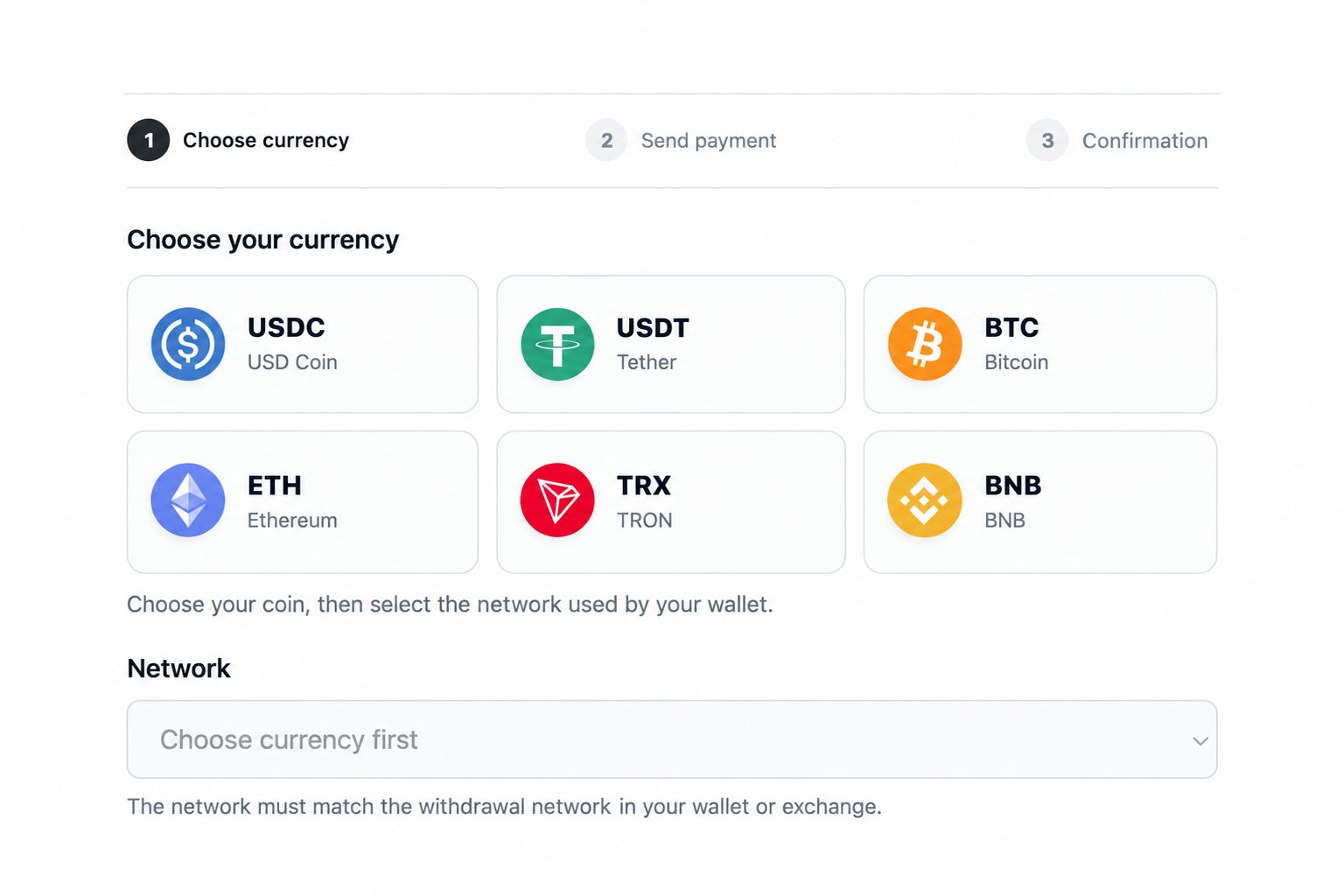
Choose your currency, then select the network used by your wallet or exchange.
The gateway supports six currencies across four blockchains, with these nine currency and network combinations:
Currency
Blockchain
Transfer type
Bitcoin (BTC)
Bitcoin
Native BTC, on-chain
Ether (ETH)
Ethereum
Native ETH
TRON (TRX)
Tron
Native TRX
BNB
BNB Smart Chain (BSC)
Native BNB
USD Coin (USDC)
Ethereum
ERC-20
USDC (Binance-Peg)
BNB Smart Chain (BSC)
BEP-20
Tether (USDT)
Ethereum
ERC-20
Tether (USDT)
Tron
TRC-20
USDT (Binance-Peg)
BNB Smart Chain (BSC)
BEP-20
For USDT, choose Ethereum (ERC-20), Tron (TRC-20), or BNB Smart Chain (BEP-20). For USDC, choose Ethereum (ERC-20) or BNB Smart Chain (BEP-20).EDIS Global accepts only the currency and network combinations offered in checkout. A matching ticker alone is not enough.
The withdrawal network in your wallet or exchange must match the network selected in checkout. Sending a supported currency on another network does not make it a supported payment. Transfers using the wrong network or token may not be recoverable.
Sign in to the Client Portal, open the unpaid invoice and select Crypto by EDIS Global.
2
Choose the currency and network
Select your coin, then choose the network used by your wallet or exchange. Review the amount, network and payment instructions before continuing.
3
Send the payment
Use the address or QR code displayed for this payment. Send the exact cryptocurrency amount shown and cover your wallet or exchange’s sending fees separately, so the full requested amount reaches the payment address.Payment instructions and the quoted exchange rate are valid for 12 hours, as shown by the checkout timer. Use the current instructions for this invoice each time you pay. Do not save an address for future payments or reuse one from another invoice.
4
Wait for confirmation
Checkout tracks the payment. The invoice becomes paid once the required amount has been credited following blockchain confirmation. Sending a transaction or receiving a transaction ID does not by itself mark the invoice as paid.Bitcoin currently requires 3 confirmations. See blockchain confirmations for the delays on each supported network.
If you change the currency or network, or the payment window expires, use the new instructions shown in checkout. If you have already sent funds, check the payment status or contact support before starting another payment.
EDIS Global adds no surcharge to cryptocurrency payments. Your wallet or exchange may charge a withdrawal fee, and blockchain network fees still apply.The EUR invoice amount is converted into the selected cryptocurrency when the payment instructions are created. The quoted rate stays fixed for that payment window. USDT and USDC amounts are also converted from EUR; do not treat a EUR amount as the same number of USDT or USDC. See currency conversion.
To prepay for future invoices, use Billing → Add Funds in the Client Portal and choose Crypto by EDIS Global. This creates a top-up invoice with its own checkout instructions. We do not provide a permanent deposit address for account credit.Cryptocurrency payments require you to send funds from your wallet. For automatic renewal payments, maintain sufficient EUR account credit before renewal invoices are created. Credit added after an invoice already exists must be applied to that invoice manually.
If a payment is late, short, duplicated or not appearing on the invoice, see cryptocurrency payment help. Contact EDIS Global Support with the invoice number, currency, blockchain and transaction ID (TXID).EDIS Global handles refund requests under our cancellation and refund policy. For a payment made through an old Cryptomus checkout, contact us with the original payment details so we can investigate the correct payment record.