

Complete control of your VPS
The EDIS Global VPS Management Portal gives you direct control over your virtual servers from one convenient dashboard. Change an IP address, restart a server, deploy a new operating system, open a console, monitor resource usage, manage traffic and automate routine operations without waiting for manual assistance.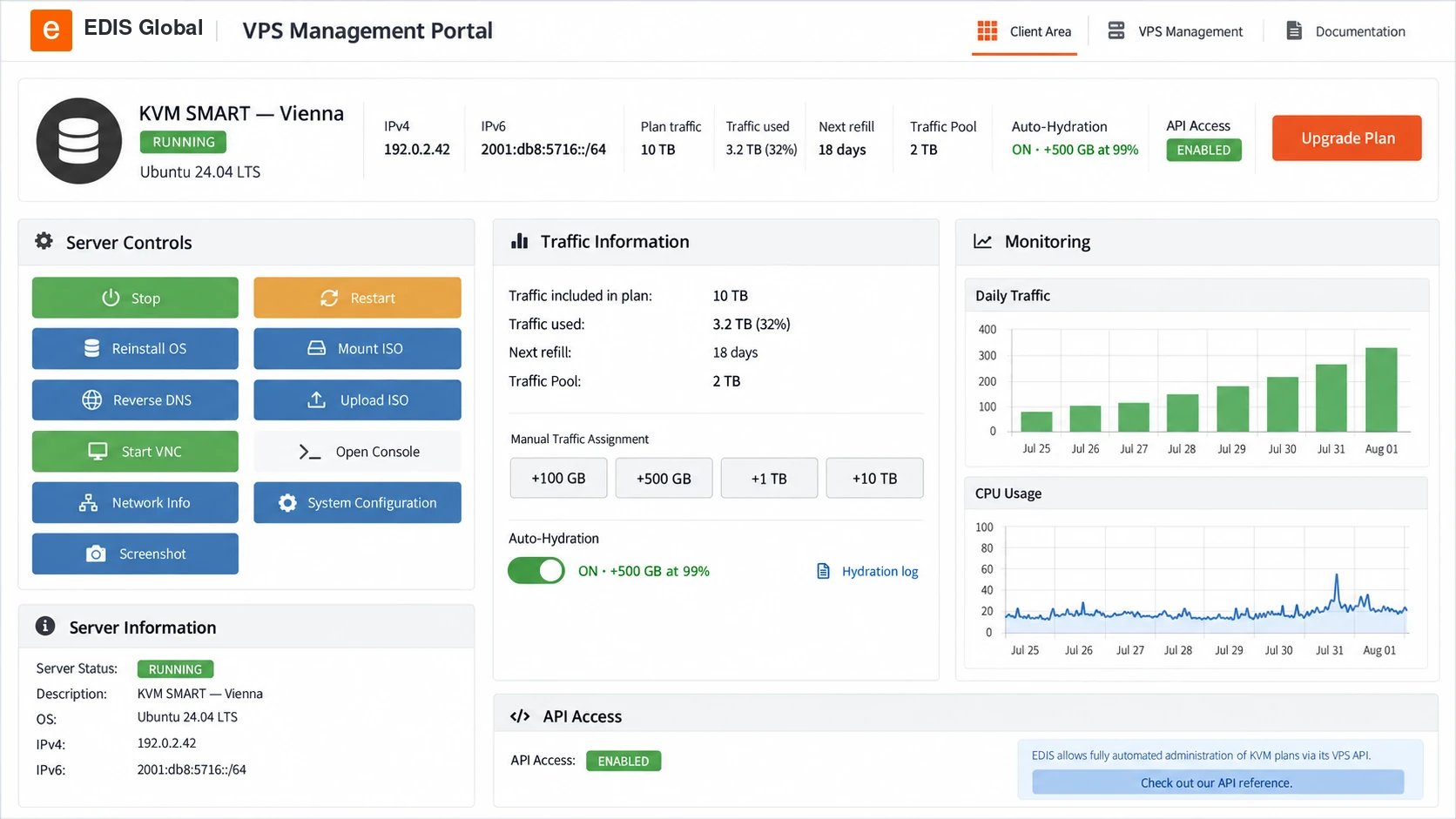
Find your VPS
Use Services → My Services in the main navigation, then select the VPS you want to manage. The Server Information tab contains the service controls; Configurable Options contains resource upgrades.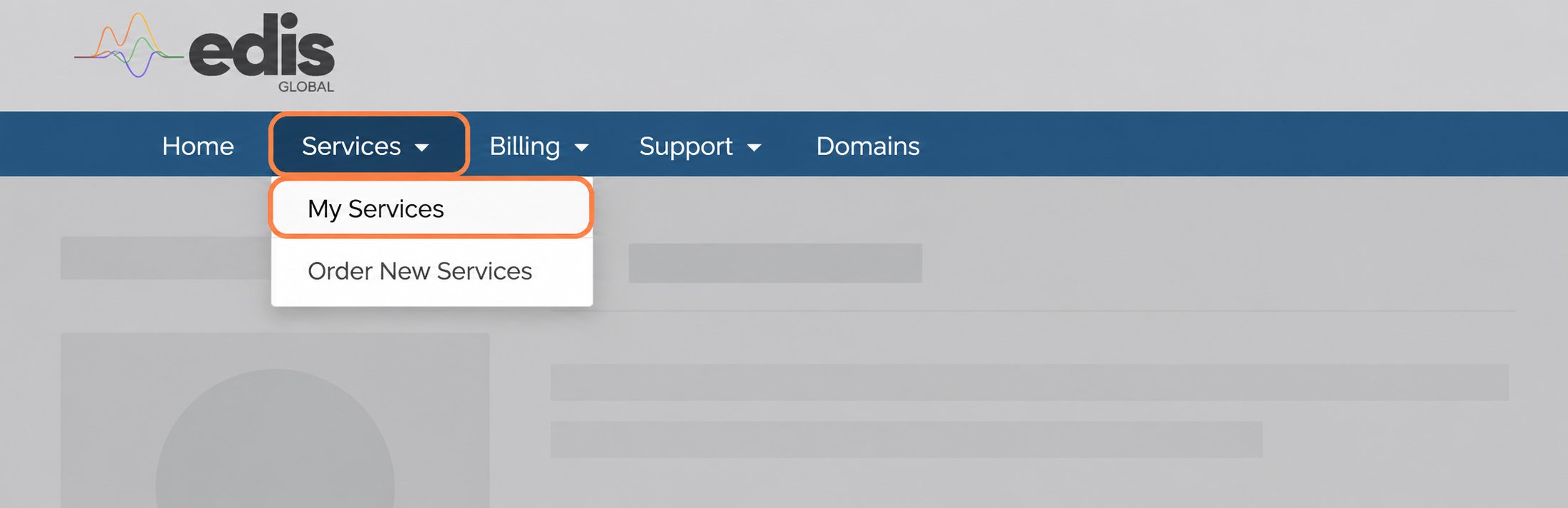
Understand your VPS status
The Server Status badges show whether your VPS is running and whether its internet connection is throttled or blocked. See VPS status badges for explanations and the steps to restore normal access.Control and deploy your server
Power controls
Start, stop or restart your VPS directly from the portal.
One-click OS installation
Install or reinstall supported Linux distributions and Windows editions using the automated installer.
Custom and provided ISOs
Mount a provided image or upload your own ISO for a fully customized deployment.
VNC and web console
Access the server through a desktop VNC client or the browser-based noVNC console, even when normal network access is unavailable.
Cloud-Init ready
Automate first-boot configuration, users, packages and repeatable deployments with Cloud-Init user data.
Live screenshot
Check the current server display without opening a console or starting a VNC session.
Manage IP addresses and virtual hardware
For VPN providers and other IP-sensitive workloads, the portal makes essential IP and system controls easy to find and use.Change IP address
Request a new primary IPv4 address from the portal. One change is free within 24 hours of purchase, with Standard and Bespoke options available afterwards.
Reverse DNS
Configure IPv4 and IPv6 PTR records for services that require accurate reverse DNS.
System configuration
Adjust virtual hardware settings such as display, boot timeout, network emulation and CPU topology.
Support PIN
Find the server-specific PIN used when requesting account-sensitive support.
Monitor performance and manage traffic
Understand how your VPS is performing and stay ahead of traffic limits directly from the portal.Usage statistics
Review CPU and traffic charts, included plan traffic, current usage and the next refill date.
Global Traffic Pool
View your pool balance, assign traffic manually, configure Auto-Hydration and inspect the hydration history for each VPS.
Automate your infrastructure
Use the EDIS Global APIs to integrate VPS deployment and management into your own platform, provisioning system or customer portal.Order API
Automate product configuration, ordering, upgrades and cancellations across the VPS lifecycle.
Management API
Control technical VPS functions remotely and build repeatable management workflows at scale.
Upgrade resources, plans and billing
Upgrade individual resources
Keep the current plan and add up to 24 GB RAM, 8 vCPU cores, 400 GB of Drive Size Boost, or 10 additional IPv4 addresses. Charges are prorated for the current billing period.
Upgrade your plan
Move to a larger VPS tier directly from the portal. You pay only the prorated price difference for the current billing period.
Renew early or change billing cycle
Create a renewal invoice before the regular due date and select the billing cycle that best fits your needs.
Drive Size Boost is added to the plan’s existing disk allocation. After storage, RAM or vCPU changes are activated, follow the provided cold-boot instructions. For storage, you must also extend the partition and filesystem inside the guest operating system.