Pay invoices with account credit
After topping up your account balance, you can use your account credit to pay invoices. By default, EDIS Global automatically applies available account credit to newly generated renewal invoices. Account credit is also available as a payment method during checkout when placing new orders.
Important
- Renewal invoices generated after you top up your account have available credit applied automatically by default. If the credit covers the invoice in full, it is marked as paid.
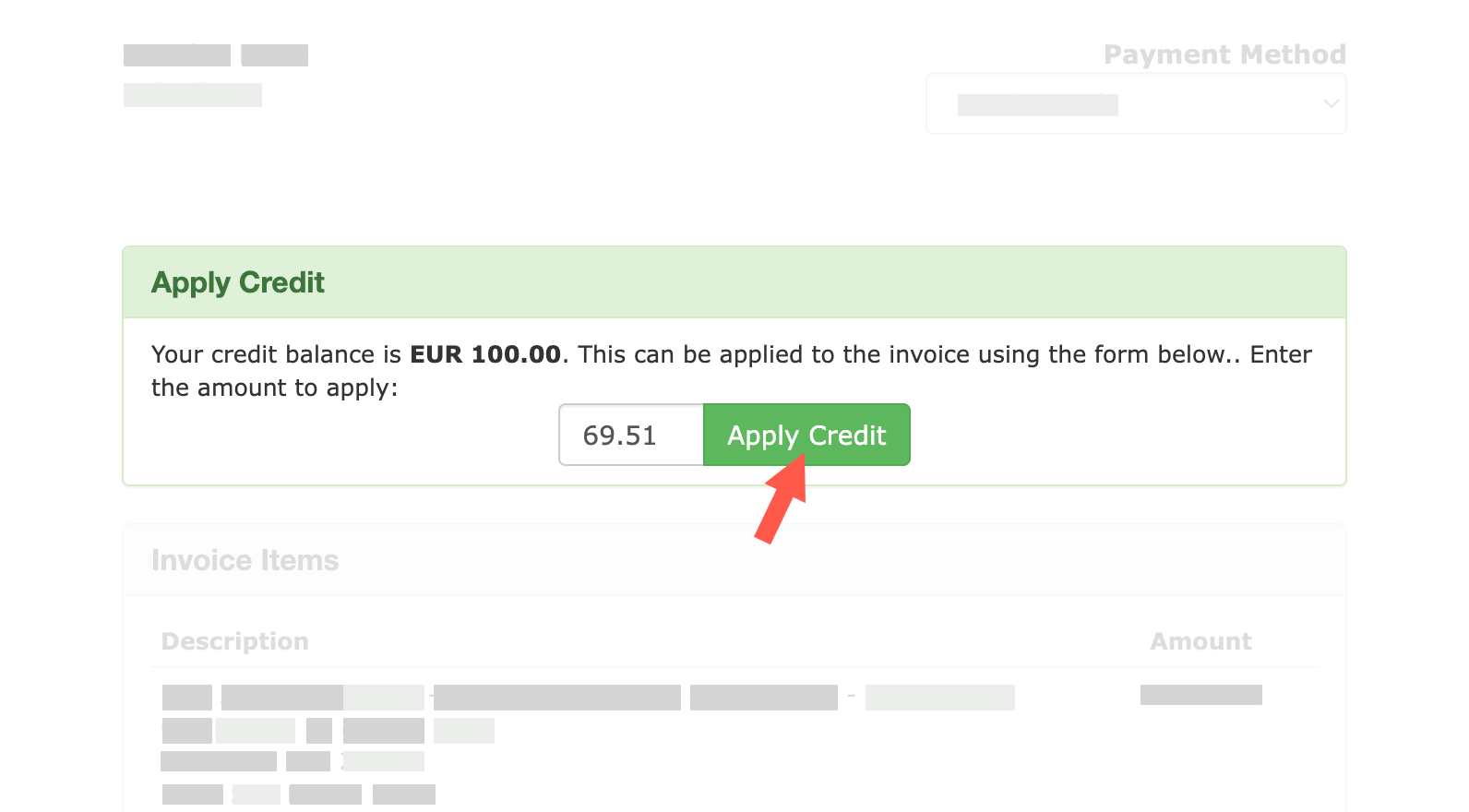
- Invoices that already existed before you topped up your account are not paid automatically. To use your account credit for these invoices, open the invoice and click Apply Account Credit.
Can I disable automatic credit application to renewal invoices?
Yes. If you prefer to review your renewal invoices before paying, contact our support team. We can configure your account so that credit is not automatically applied during scheduled invoice creation.
You can then review each invoice and pay it manually. After the billing window ends and your credit balance has been restored, you can also use Apply Credit in the Client Portal.
This is an account-level billing arrangement configured by support. Renewal invoices continue to be issued and must be paid by their due dates. Other automatic payment arrangements, such as credit card payments or PayPal subscriptions, are managed separately.
For most customers, we recommend keeping automatic credit application enabled and requesting cancellation when a VPS is no longer needed.
See Optional credit handling during invoice creation for the billing-window procedure and timing.
How to apply credit to an invoice
- Log in to the Client Portal
- Go to Billing → My Invoices
- Open the invoice you want to pay
- On the invoice, locate the green Apply Credit section
- Enter the amount you want to apply (or the full invoice amount)
- Click Apply Credit
If you apply the full amount due, the invoice will be marked as Paid immediately.
Need more credit?
You can top up your account credit through the Client Portal. Follow the billing-window guidance when planning top-ups and applying credit.
Last modified on September 30, 2026