

How to change your IP address
Free IP change within 24 hours
You are eligible for one free change of your primary IPv4 address if you request it within the first 24 hours of purchasing the VPS. Changing the IP address keeps the same VPS service, server location, plan, and billing cycle.The recycle icon is only shown during the first 24 hours. It appears only while your VPS is eligible for the free IP change and disappears exactly 24 hours after purchase. After that, use the paid IP change options below.
1
Open your VPS
Log in to the VPS Management Portal, open Services, and select your VPS.
2
Request the IP change
In the Information panel, find Primary IPv4 and click the small ♻ recycle icon beside the address.
3
Review and confirm
Read the Permanent IPv4 Address Change dialog. Clicking Change IP now replaces the address; clicking Close leaves it unchanged. The dialog warns that the old address cannot be restored through this action and that allocation is random.
4
Configure the new IP
Reinstall the VPS or configure the new IP manually through VNC. The old address stops working immediately when the new IP is assigned.
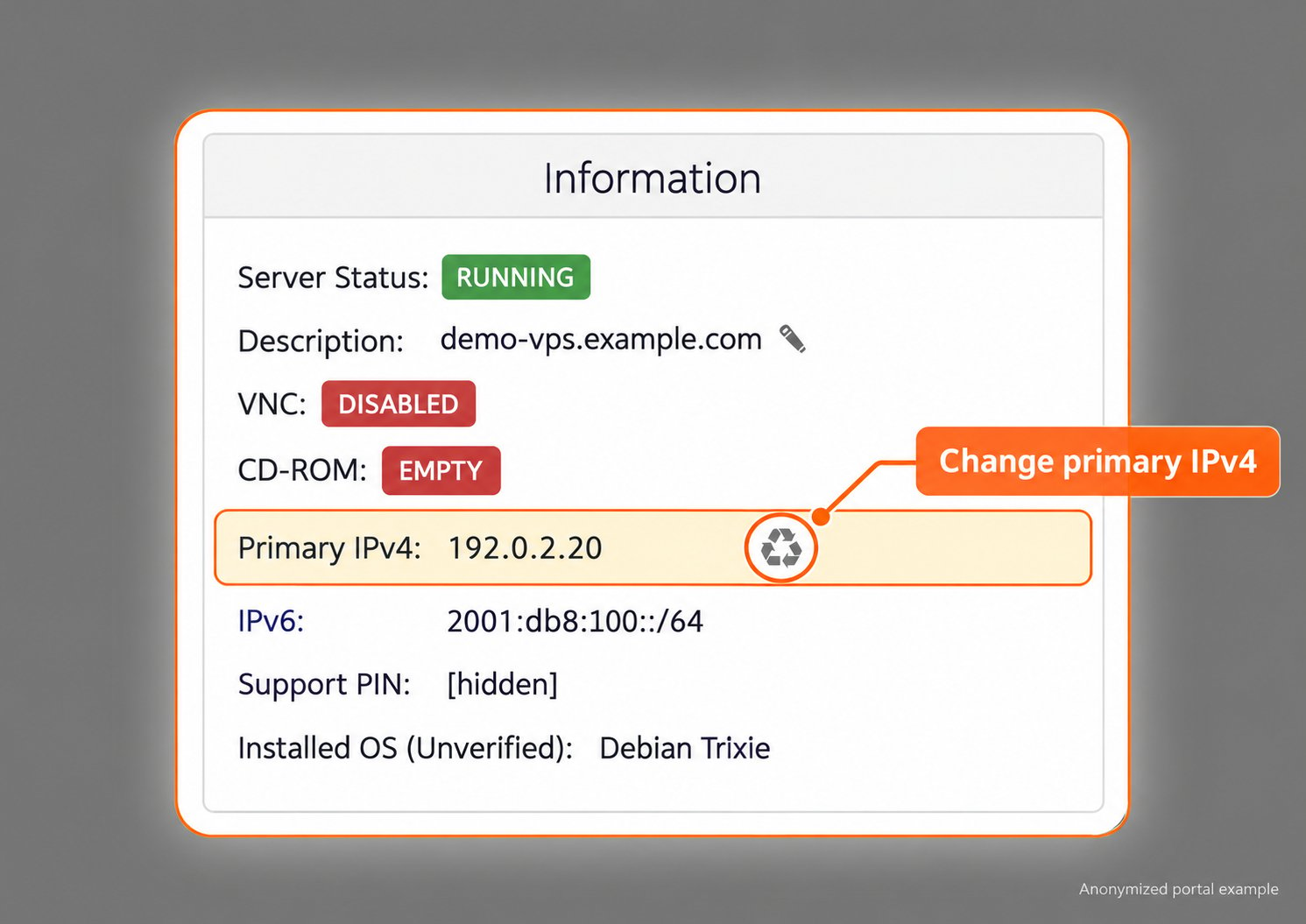
Eligible VPS within the first 24 hours. The recycle icon beside Primary IPv4 disappears exactly 24 hours after purchase. Cropped and anonymized.
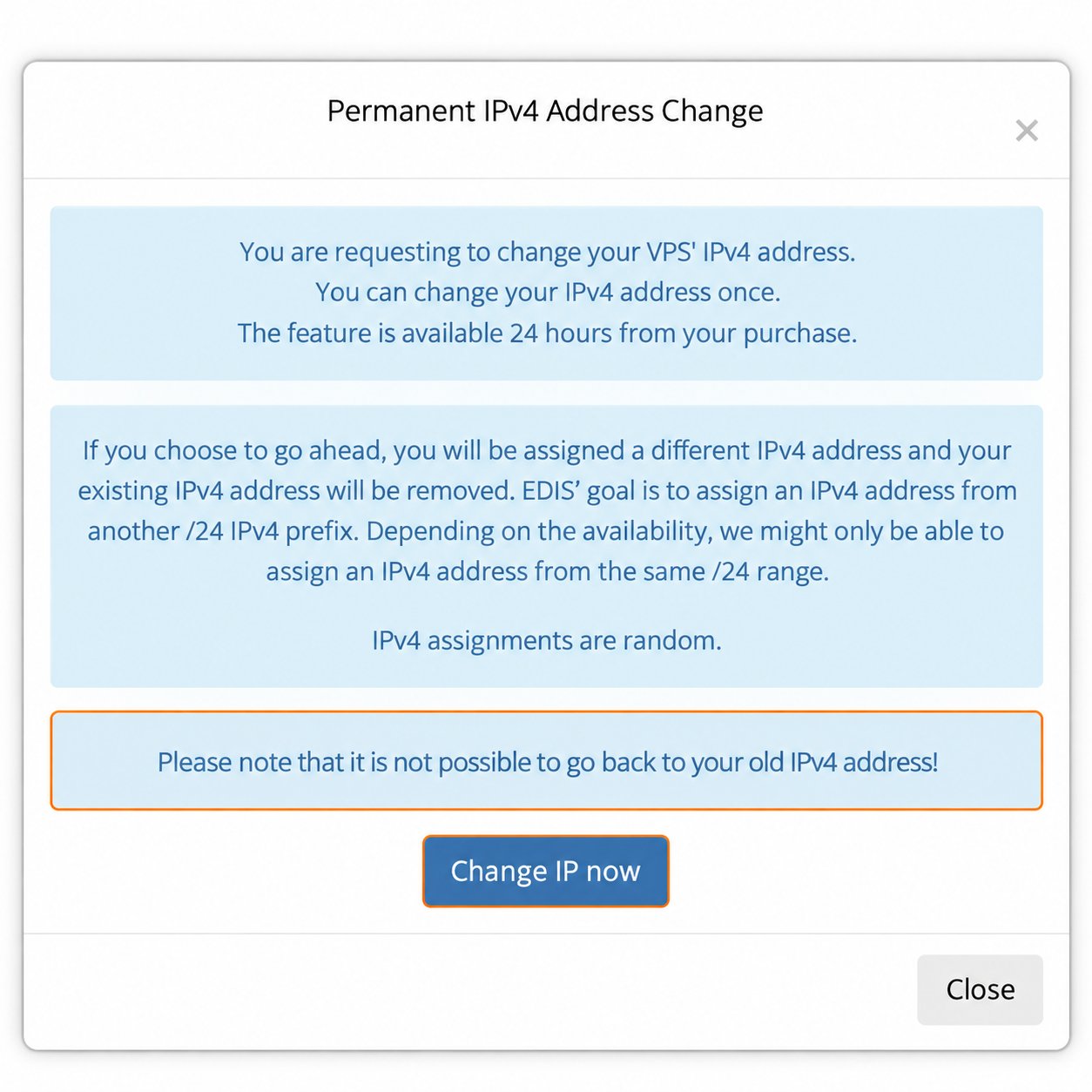
Read the confirmation before replacing the IP address.
A free primary IPv4 change does not remove your refund eligibility. You may still request a refund within the original 24-hour window if all other refund conditions are met.
IP change after 24 hours
After the first 24 hours, you can select one of these paid options:Standard IP change
EDIS Global processes standard paid primary-IP replacements automatically in real time once you complete the request and payment. Allocation is random; you cannot influence the subnet selection or guarantee a different prefix.Bespoke IP change
You receive a list of available IP addresses from different prefixes and select the one you prefer. If an IP previously assigned to you is still available, it may appear in the list.Configure the new IP after any change
To keep the installed operating system, follow the manual configuration guide for Ubuntu or Windows Server. Read the new address, mask or prefix, and gateway from Network Info.Connectivity and repeated changes
An IP change cannot guarantee access from a particular country or ISP, access to a particular website, or a particular IP-reputation or blocklist status. External filtering may affect an entire prefix or protocol. EDIS Global prefixes may already be blocked in Russia, and an address that works today may become inaccessible later. Repeated changes remain subject to address inventory, account review, and the Acceptable Use Policy. Update VPN endpoint settings and any relevant DNS records after the change. For address and prefix selection, see Bespoke IP addresses.Summary
- During the first 24 hours, you may change the primary IPv4 address once free of charge.
- A primary IPv4 change does not remove refund eligibility during the original 24-hour window.
- A free location replacement includes the option of one additional free primary IPv4 change if required.
- After 24 hours, select a Standard or Bespoke paid IP change.
- Reinstall the VPS or configure the new IP manually after every IP change.
- A server location change is a direct VPS replacement and follows different refund rules.