

How a VPS location change works
IP addresses and VPS resources are tied to a specific server location. EDIS Global therefore cannot physically move an existing VPS to another region. For an approved location change, we delete the original VPS and create a completely fresh VPS in another available EDIS Global location of your choice. This is a replacement, not a migration of the existing service. Your data, installed software, and configuration are not transferred.Free location change within 24 hours
You may request one free location change within 24 hours of the original VPS order. This option is useful if you selected the wrong location, need lower latency, or require a different geographic presence.What you receive
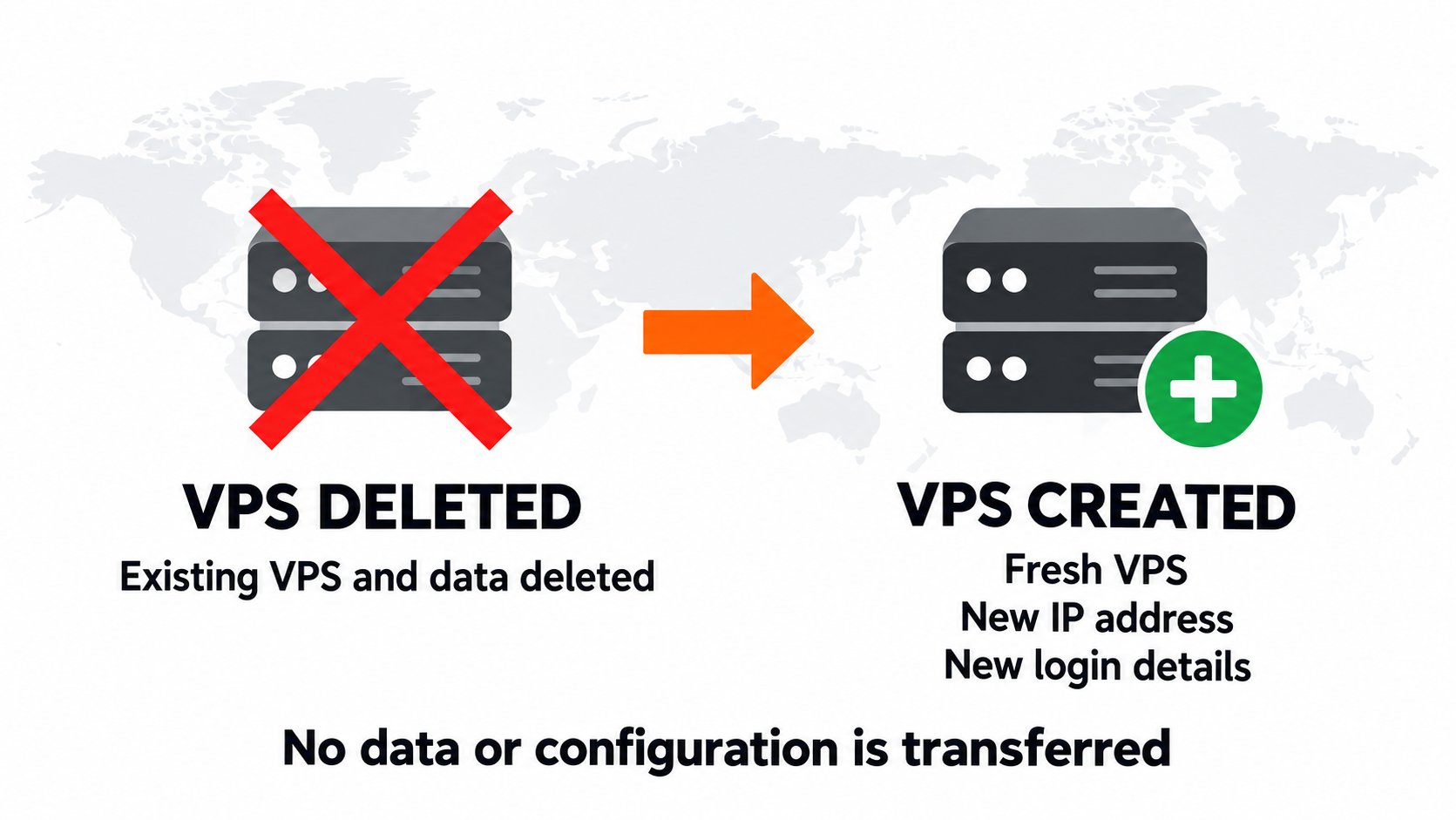
A fresh VPS in your chosen location. Map is schematic.
- You receive a completely fresh VPS in another available location of your choice.
- You receive new login details and a new IP address.
- The replacement keeps the same VPS plan and billing cycle.
- The new VPS service directly replaces the original service.
- The original VPS, its IP addresses, and its data are permanently removed.
Additional free primary IPv4 change
The location replacement also includes the option of one additional free change of the new VPS’s primary IPv4 address if required. After an IPv4 change, you must reinstall the VPS or configure the new address manually through VNC. See Change IP Address for the complete procedure.Refund eligibility after a location change
A primary IPv4 change alone does not remove refund eligibility. A completed server location change does. See the Cancellation and Refund Policy for all conditions.Before requesting the location change
Location changes are:- Available only within 24 hours of the original order.
- Limited to one location change per VPS service.
- Subject to resource availability in the requested location.
- Unavailable for services flagged for abuse, spam, fraud, or other policy violations.
Changing location after 24 hours
After the initial 24-hour period, the free location replacement is no longer available. To use a different location:1
Order a new VPS
Select and order a VPS in the required location.
2
Migrate your data
Transfer the data and configuration from the existing VPS to the new service.
3
Cancel the old VPS
Cancel the previous VPS only after confirming that the new service works correctly.