

Use free EDIS Global latency test
The EDIS Global Free Latency Test allows you to measure ping times from your device to VPS hosting locations worldwide. It helps you identify which server location will provide the best responsiveness for your connection. In addition to showing raw latency values in milliseconds (ms), the tool also provides a “Ping Feel” indicator. This helps you determine the best server location for your use case, whether you plan to use your VPS for:- VPN servers
- SSH access
- Remote desktop (RDP)
- gaming servers
- trading bots
- web hosting
- API infrastructure
What is latency?
Latency is the time it takes for data to travel between your device and a server. It is measured in milliseconds (ms) and is often called ping time.Lower values are better. Less ms means better connection time. Typical latency ranges:
Lower latency generally results in smoother connections and faster application responses.
What the free latency test measures
The tool measures ping latency from your device to EDIS Global VPS locations. It automatically tests multiple locations and displays:- average ping time
- minimum latency
- maximum latency
- Ping Feel rating
Step 1: Open the free latency test
Go to: https://www.edisglobal.com/free-latency-test The test will automatically start measuring latency to available VPS locations.Step 2: Start the free latency test
Click Start test.Step 3: Wait for the test to complete
The test runs several ICMP ping requests to each server location. While the test is running, you will see a Running… indicator. Results typically appear within a few seconds.Step 4: Review your latency results
Each server location displays:- current latency
- minimum latency
- average latency
- maximum latency
Step 5: The Ping Feel indicator
The tool categorizes latency using a Ping Feel rating.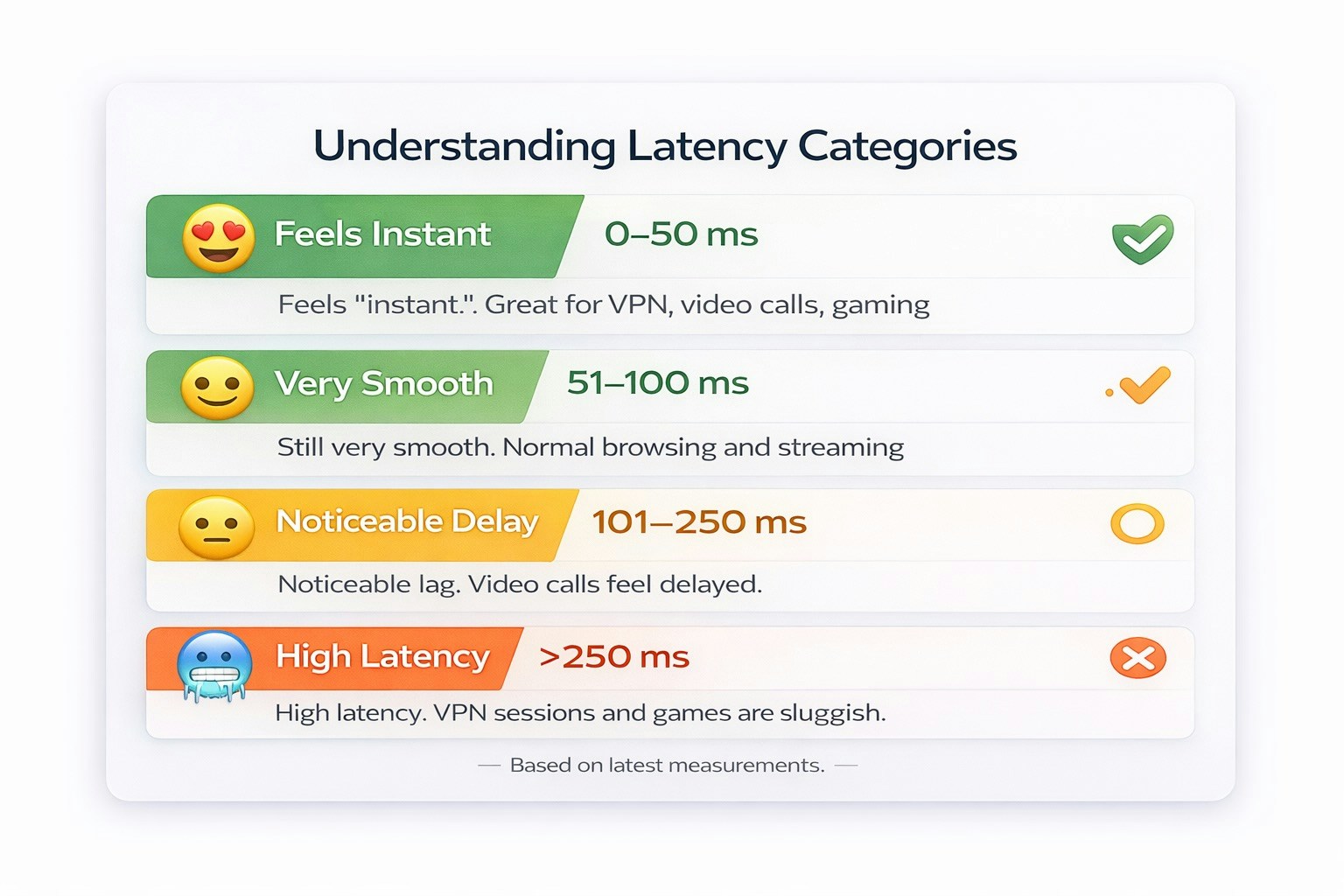
This helps you quickly identify the most responsive server locations.
Step 6: Filter locations
You can filter server locations based on latency performance. Available filters include:- Feels Instant (0–50ms)
- Very Smooth (51–100ms)
- Noticeable Delay (101–250ms)
- High Latency (251ms+)
Step 7: Choose the best VPS location
Select the location with the lowest latency and most stable results. For example:
Lower latency typically means:
- faster SSH connections
- smoother remote desktop sessions
- better VPN performance
- lower response times for APIs and web applications
When latency matters most
A low ping VPS location is especially important for:VPN servers
Low latency improves browsing speed and connection responsiveness.Remote desktop (RDP)
Lower ping results in smoother mouse movement and screen updates.SSH access
Fast response times improve terminal interaction.Trading bots
Lower latency helps reduce execution delays.Gaming servers
Players benefit from faster network response times.Factors that influence latency
Latency results may vary depending on several factors:- your ISP routing
- geographic distance
- packet loss
- network congestion
- international routing paths
Tip: test multiple times
For the most accurate results:- run the latency test at different times
- compare several VPS locations
- choose the server with the most stable average latency
Why use the EDIS Global latency test?
The EDIS Global latency test provides:- real-time latency measurements
- ping tests to dozens of VPS locations
- visual Ping Feel indicators
- global infrastructure coverage
Related resources
- VPS Hosting Locations: https://www.edisglobal.com/vps-hosting
- Free Latency Test: https://www.edisglobal.com/free-latency-test