

Welcome to EDIS Global help and docs 🚀
Use these guides to set up, secure, manage, and scale your Virtual Private Server (VPS). EDIS Global support can assist with infrastructure, account, billing, and upgrade questions. For configuration inside your VPS, we provide practical documentation and troubleshooting guidance while your server remains fully under your control. Need help right now? Click the orange chat icon below to connect with us.Open your VPS in the portal
- Log in to the VPS Management Portal.
- Open Services → My Services from the main navigation.
- Select the VPS you want to manage. Check its description and IP address before making changes.
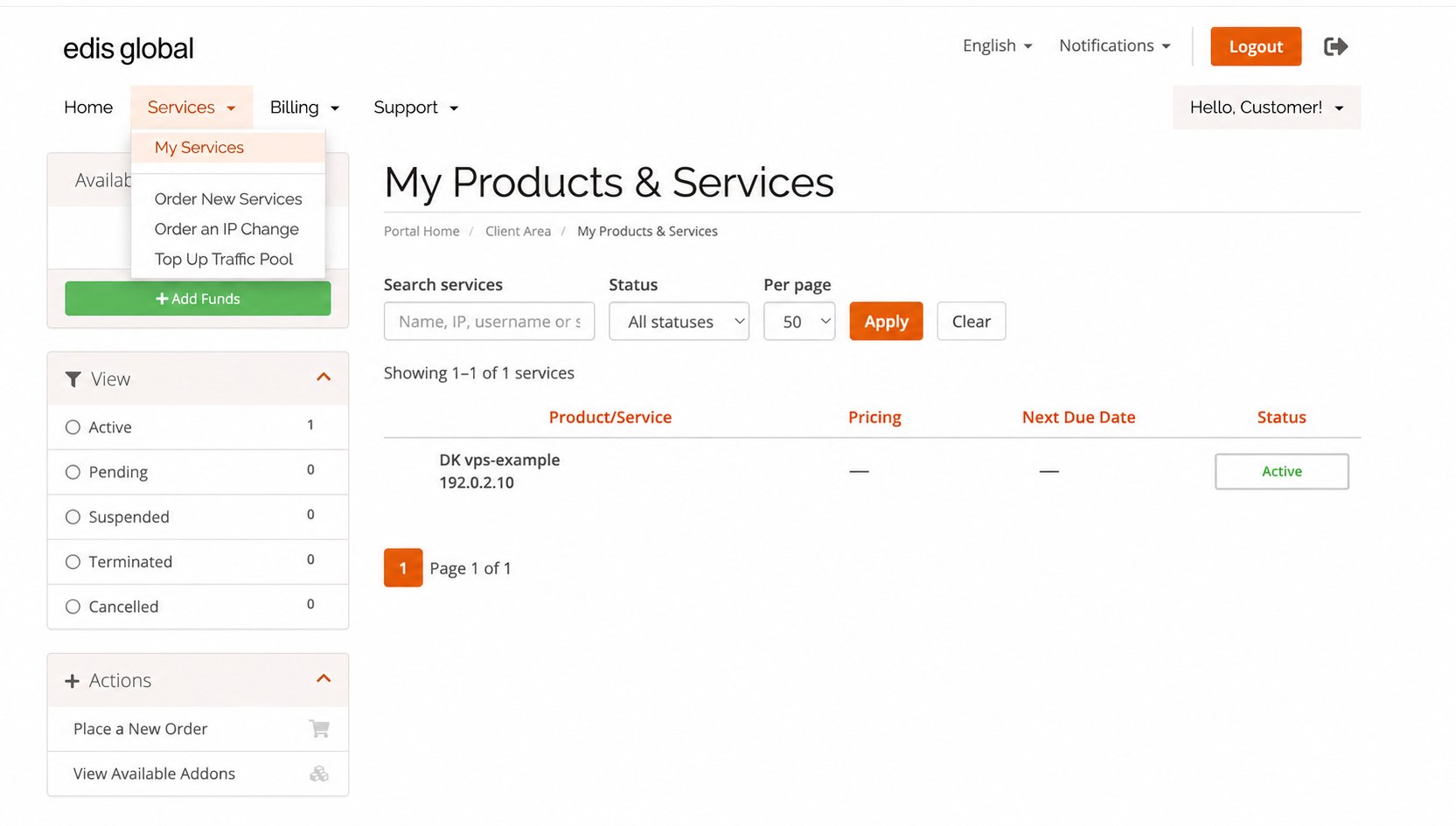
Open Services → My Services to find your VPS. Customer and billing details are anonymized.
Start with the essentials
Check Your Inbox
Find your server credentials, IP addresses, and VPS Management Portal link.
Connect with SSH
Connect securely to a Linux VPS and configure SSH access.
Connect with RDP
Connect to a Windows VPS using Remote Desktop.
Secure Your VPS
Improve SSH security, authentication, and access controls.
Manage and scale your VPS
VPS Management
Power-cycle, reinstall, monitor, and configure your VPS from one portal.
Traffic & Monthly Refills
Understand traffic usage, monthly allowances, warnings, and refill dates.
Traffic Pool & Auto-Hydration
Keep a shared traffic reserve and protect VPS services from traffic exhaustion.
Upgrades & Scaling
Add resources or move to a higher VPS plan as your requirements grow.
Common tasks
For a practical walkthrough of everyday actions, read Common VPS tasks: reinstall, change IP, manage billing and protect your data.Reinstall Your VPS
Reinstall Linux or Windows operating systems at any time.
Change IP Address
Free primary IPv4 change within 24 hours, or choose a paid Standard or Bespoke IP change later.
Billing & Renewals
Understand invoices, payments, renewals, suspension, and service recovery.
Backups
Protect important data and understand the available backup options.