> ## Documentation Index
> Fetch the complete documentation index at: https://docs.edisglobal.com/llms.txt
> Use this file to discover all available pages before exploring further.
# Reinstall Your VPS (Linux or Windows)
> How to reinstall your VPS with a clean operating system — Linux or Windows — using the AutoInstall feature in your EDIS Global Control Panel.
export const CtaButton = ({label, link, openInNewTab}) => ;
## Reinstall your VPS with a fresh OS
You can reinstall your Virtual Private Server (VPS) with a clean operating system in just a few clicks.\
Whether you’re switching from Linux to Windows or simply starting fresh, the **AutoInstall OS** feature lets you rebuild your VPS quickly and securely.
> ⚠️ **Important:** Reinstalling your VPS will permanently erase all data.\
> Make sure you have backups before proceeding.
***
## ▶️ Watch: Linux Auto-Install (video guide)
Watch this short tutorial to see how to reinstall your VPS with Linux.\
We’ll walk you through the essential steps to ensure a smooth and successful installation.
***
## ▶️ Watch: Windows Auto-Install (video guide)
This video shows you how to reinstall your VPS with Windows Server (RDP).\
Learn how to start the reinstall, set your administrator password, and re-enable remote access.
***
## Step-by-Step Reinstallation
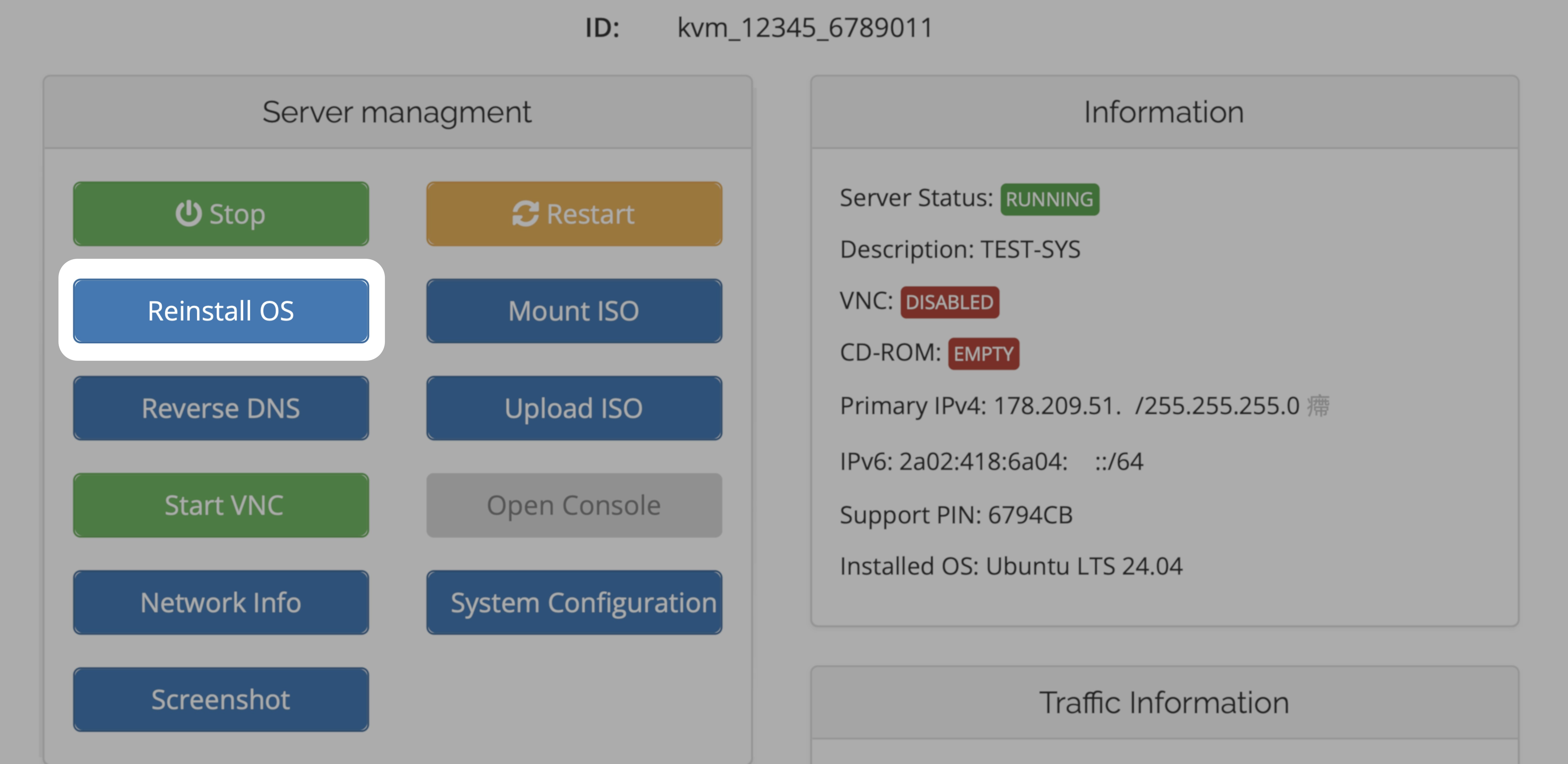
Go to your [KVM Management Portal](https://manage.edisglobal.com/clientarea.php) and open the **Services** tab.
Select the VPS you want to reinstall.
Choose your preferred operating system and set a new password.\
This will be your Linux **root** or Windows **Administrator** password.
> ⚠️ **Note:** No confirmation email is sent when reinstalling — keep your new password safe!
***
## Installation time & port behavior
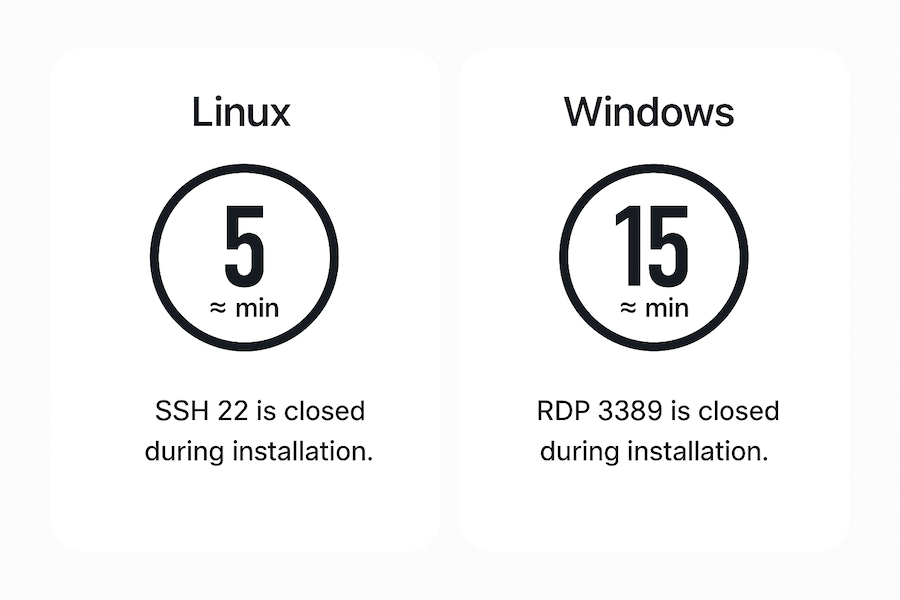
Once the reinstallation starts, your VPS will go through the automated setup process. The image below shows the typical duration and port behavior for each operating system:
During reinstallation, **remote access (SSH/RDP)** is temporarily disabled while your VPS is being rebuilt.\
You’ll be able to connect again once the installation has finished — typically after **≈ 5 minutes for Linux** or **≈ 15 minutes for Windows**.
⚠️ **Do not power off or reboot your VPS** during this time, as it may interrupt the OS setup.
***
## Installation via Cloud-Init
If you prefer to use your **own operating system image**, EDIS Global also supports installations via **Cloud-Init**.\
This method is ideal for advanced users who want to **bring their own (BYO) image** — such as a custom or pre-built `.qcow2` file — and automatically configure it on first boot with Cloud-Init user-data.
Use **Cloud-Init** when you need to:\
• deploy a custom or pre-configured operating system image\
• automate user creation, SSH keys, or initial setup commands\
• maintain full control over your server’s image and configuration
If you just need a clean Linux or Windows environment, the **Auto-Install OS** option is simpler and faster.
 ***
## ▶️ Watch: Linux Auto-Install (video guide)
Watch this short tutorial to see how to reinstall your VPS with Linux.\
We’ll walk you through the essential steps to ensure a smooth and successful installation.
***
## ▶️ Watch: Windows Auto-Install (video guide)
This video shows you how to reinstall your VPS with Windows Server (RDP).\
Learn how to start the reinstall, set your administrator password, and re-enable remote access.
***
## Step-by-Step Reinstallation
***
## ▶️ Watch: Linux Auto-Install (video guide)
Watch this short tutorial to see how to reinstall your VPS with Linux.\
We’ll walk you through the essential steps to ensure a smooth and successful installation.
***
## ▶️ Watch: Windows Auto-Install (video guide)
This video shows you how to reinstall your VPS with Windows Server (RDP).\
Learn how to start the reinstall, set your administrator password, and re-enable remote access.
***
## Step-by-Step Reinstallation