> ## Documentation Index
> Fetch the complete documentation index at: https://docs.edisglobal.com/llms.txt
> Use this file to discover all available pages before exploring further.
# Running a Speed Test on EDIS Global VPS
> Run accurate speed tests on an EDIS Global VPS over Linux and Windows, including how to choose 10 Gbps-capable test servers for high-bandwidth setups.
## Running a Speed Test on Linux and Windows (10Gbps-Aware)
A quick guide to running reliable speed tests on Linux and Windows, especially for 10Gbps setups.
***
## 🐧 Speed test on Linux
We recommend using the **Speedtest CLI** by Ookla for reliable results.
### 🔧 Installation
Run the following commands to install:
```bash theme={"system"}
# Add Ookla's repository
curl -s https://packagecloud.io/install/repositories/ookla/speedtest-cli/script.deb.sh | sudo bash
# Install the speedtest tool
sudo apt install speedtest
```
### 🚀 Running a basic speed test
Once installed, run a simple speed test:
```bash theme={"system"}
speedtest
```
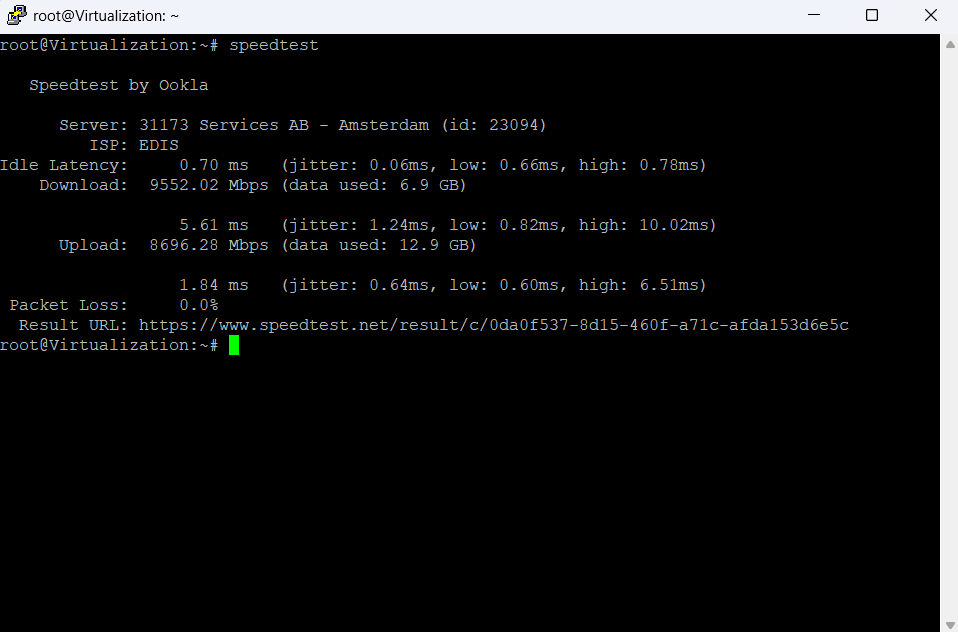 ⚠️However, the default server might **not support 10Gbps** speeds, resulting in underwhelming results.
**To get accurate high-speed measurements**:
### 📋 List available servers
```bash theme={"system"}
speedtest -L
```
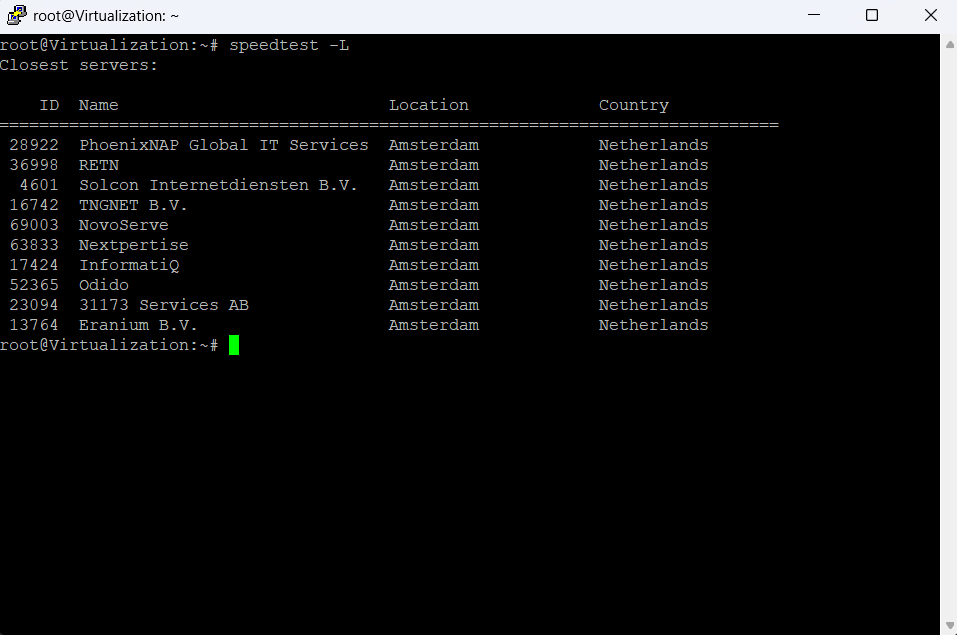
This will output a list of servers with their IDs.
⚠️However, the default server might **not support 10Gbps** speeds, resulting in underwhelming results.
**To get accurate high-speed measurements**:
### 📋 List available servers
```bash theme={"system"}
speedtest -L
```
This will output a list of servers with their IDs.
 ### 🎯 Run Test on a Specific Server
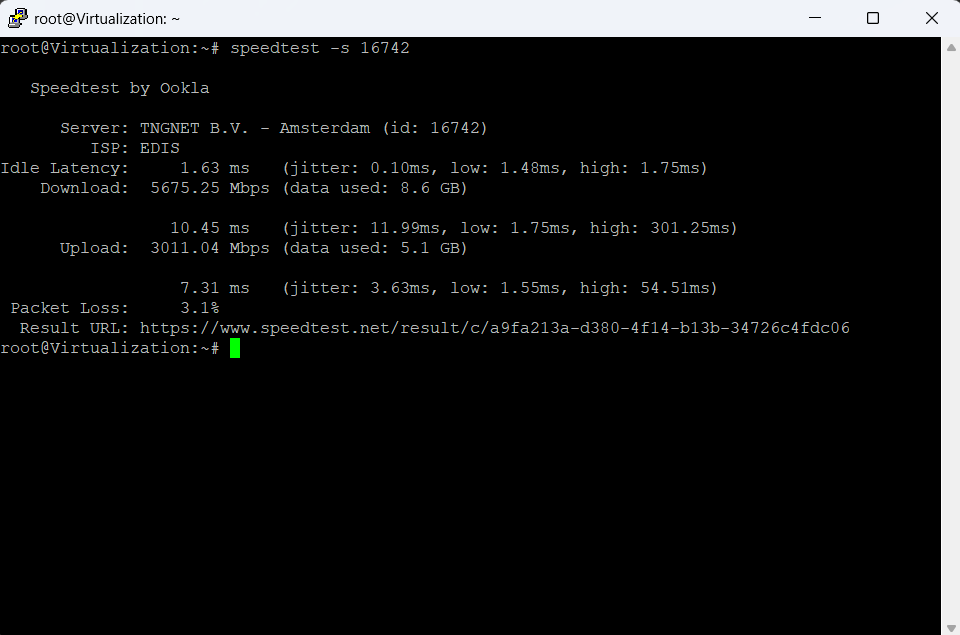
Pick a server that supports high throughput (based on location and provider) and use its ID:
```bash theme={"system"}
speedtest -s
```
Example:
```bash theme={"system"}
speedtest -s 12345
```
### 🎯 Run Test on a Specific Server
Pick a server that supports high throughput (based on location and provider) and use its ID:
```bash theme={"system"}
speedtest -s
```
Example:
```bash theme={"system"}
speedtest -s 12345
```
 ***
## 🪟 Speed test on Windows
While the command line option is also available, for most users we recommend using the **Speedtest app** by Ookla.
### ⬇️ Download the App
Download the official Speedtest app from Ookla's website:
* [Download Speedtest for Windows](https://www.speedtest.net/apps/windows)
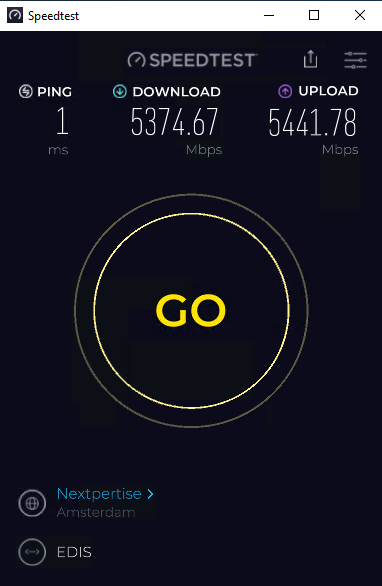
This GUI-based tool provides more stable and optimized results, especially on systems with higher bandwidth.
***
## 🪟 Speed test on Windows
While the command line option is also available, for most users we recommend using the **Speedtest app** by Ookla.
### ⬇️ Download the App
Download the official Speedtest app from Ookla's website:
* [Download Speedtest for Windows](https://www.speedtest.net/apps/windows)
This GUI-based tool provides more stable and optimized results, especially on systems with higher bandwidth.
 ### ⚠️ Notes on 10Gbps Testing
Just like on Linux, **not all servers support 10Gbps**. If you're seeing low results:
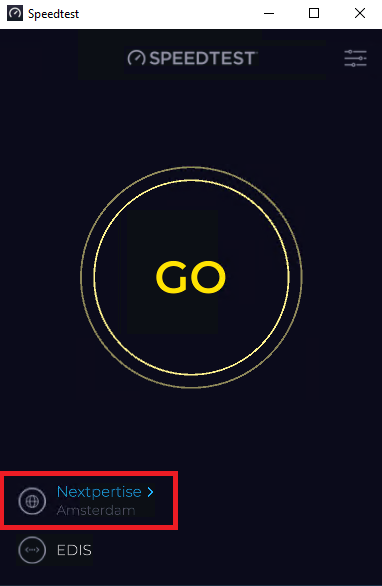
1. Click on the **current server name** displayed under the speed dial.
### ⚠️ Notes on 10Gbps Testing
Just like on Linux, **not all servers support 10Gbps**. If you're seeing low results:
1. Click on the **current server name** displayed under the speed dial.
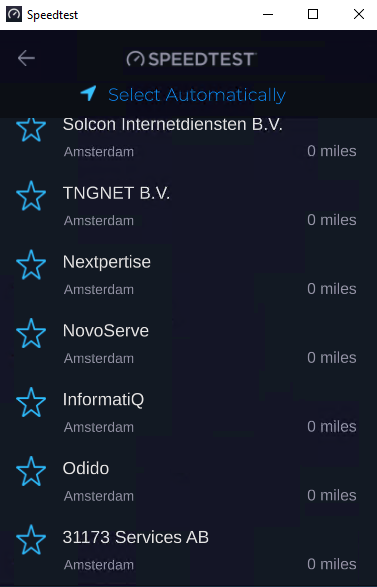
 2. From the list that appears, select another server — preferably one known to support higher bandwidth.
 3. Try multiple nearby servers to find the best performance.
***
3. Try multiple nearby servers to find the best performance.
***