> ## Documentation Index
> Fetch the complete documentation index at: https://docs.edisglobal.com/llms.txt
> Use this file to discover all available pages before exploring further.

# Setting up Reverse Pointers

> Configure reverse DNS (PTR) records for IPv4 and IPv6 addresses through the EDIS Global KVM management portal. Step-by-step guide for mail and SSL setup.

export const CtaButton = ({label, link, openInNewTab}) => <button className="custom-cta-button">
    <a href={link} target={openInNewTab ? "_blank" : "_self"}>
      {label}
    </a>
  </button>;

## Configure PTR records (rDNS)&#x20;

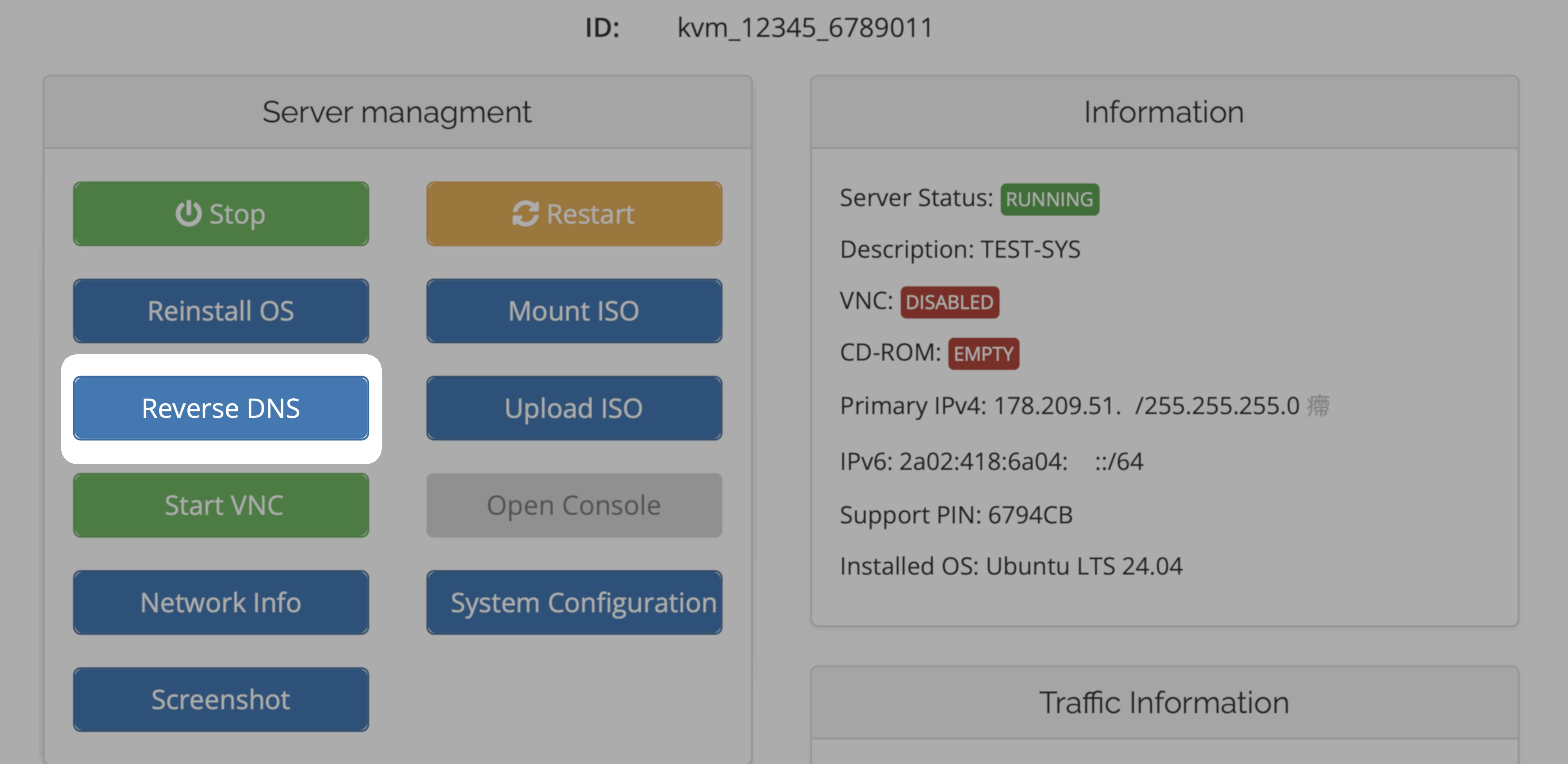
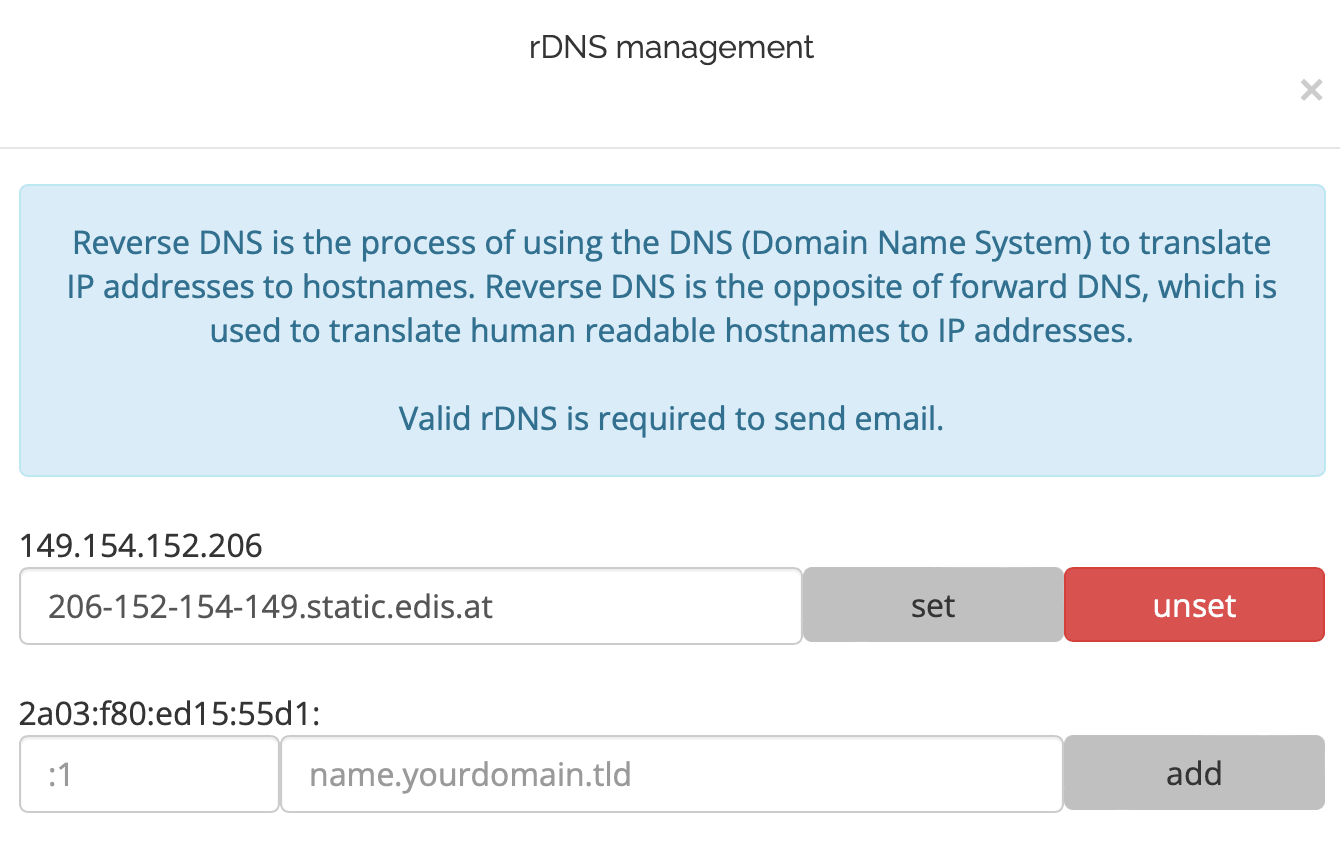
Reverse DNS or PTR records for either IPv4 and IPv6 addresses can be configured in the KVM management portal.

<img src="https://mintcdn.com/edisglobal-b1e34a56/2F9UxB7wBjzr267B/assets/vps-reverse-dns.webp?fit=max&auto=format&n=2F9UxB7wBjzr267B&q=85&s=d77d0391169eec6a7c517aa7e692a1b0" alt="Setting up Reverse Pointers" width="6860" height="3342" data-path="assets/vps-reverse-dns.webp" />

<Steps>
  <Step title="Log in to your">
    [VPS Management Portal](https://manage.edisglobal.com/clientarea.php)
  </Step>

  <Step title="Locate your VPS in the Services tab" />

  <Step title="Click Reverse DNS to administrate PTR records ">
    "**Set**" configures and "**Unset**" removes a record from our DNS.
  </Step>
</Steps>

Get more in-depth background information in our PTR Record blog post:

<CtaButton label="PTR Record blog post" link="https://www.edisglobal.com/blog/ptr-record" openInNewTab={true} />

***

<img src="https://mintcdn.com/edisglobal-b1e34a56/BiYfx4c5cLLWdRH5/assets/TCG6ACbswUaDAL8763RqX_setting-up-reverse-pointers-1c968b9006.png?fit=max&auto=format&n=BiYfx4c5cLLWdRH5&q=85&s=2d9b4ae111e77a5e4c946083e27c0b5e" alt="setting_up_reverse_pointers" width="1340" height="846" data-path="assets/TCG6ACbswUaDAL8763RqX_setting-up-reverse-pointers-1c968b9006.png" />