> ## Documentation Index
> Fetch the complete documentation index at: https://docs.edisglobal.com/llms.txt
> Use this file to discover all available pages before exploring further.
# How to Use EDIS Global Free Latency Test
> Learn how to use the EDIS Global Free Latency Test to measure ping times to VPS hosting locations worldwide and choose the best server location.
# Use free EDIS Global latency test
The **EDIS Global Free Latency Test** allows you to measure ping times from your device to VPS hosting locations worldwide and helps you identify which server location will provide the **best responsiveness for your connection**.
In addition to showing raw latency values in **milliseconds (ms)**, the tool also provides a **“Ping Feel” indicator**.
This helps you determine the **best server location for your use case**, whether you plan to use your VPS for:
* VPN servers
* SSH access
* Remote desktop (RDP)
* gaming servers
* trading bots
* web hosting
* API infrastructure
Lower latency means **faster response times and better performance**.
Use the tool here:
[https://www.edisglobal.com/free-latency-test](https://www.edisglobal.com/free-latency-test)
***
## What is latency?
**Latency** is the time it takes for data to travel between your device and a server.
It is measured in **milliseconds (ms)** and is often called **ping time**.\
Lower values are better. Less ms means better connection time.
Typical latency ranges:
| Latency | Performance |
| ---------- | ------------ |
| 0–50 ms | Excellent |
| 50–100 ms | Very good |
| 100–250 ms | Acceptable |
| 250+ ms | High latency |
Lower latency generally results in **smoother connections and faster application responses**.
***
## What the free latency test measures
The tool measures **ping latency from your device to EDIS Global VPS locations**.
It automatically tests multiple locations and displays:
* **average ping time**
* **minimum latency**
* **maximum latency**
* **Ping Feel rating**
The **Ping Feel indicator** translates raw latency values into an intuitive responsiveness score.
***
## Step 1 — open the free latency test
Go to:
[https://www.edisglobal.com/free-latency-test](https://www.edisglobal.com/free-latency-test)
The test will automatically start measuring latency to available VPS locations.
## Step 2 — start free latency test
Click: Start test
***
## Step 3 — Wait for the Test to Complete
The test runs several **ICMP ping requests** to each server location.
While the test is running, you will see a **Running…** indicator.
Results typically appear within a few seconds.
***
## Step 4 — review your latency results
Each server location displays:
* **current latency**
* **minimum latency**
* **average latency**
* **maximum latency**
Example result:
```text theme={"system"}
Cyprus – Limassol
13 ms
Feels Instant
```
This indicates a **very fast connection** between your device and that VPS location.
***
## Step 5 — the ping feel indicator
The tool categorizes latency using a **Ping Feel rating**.
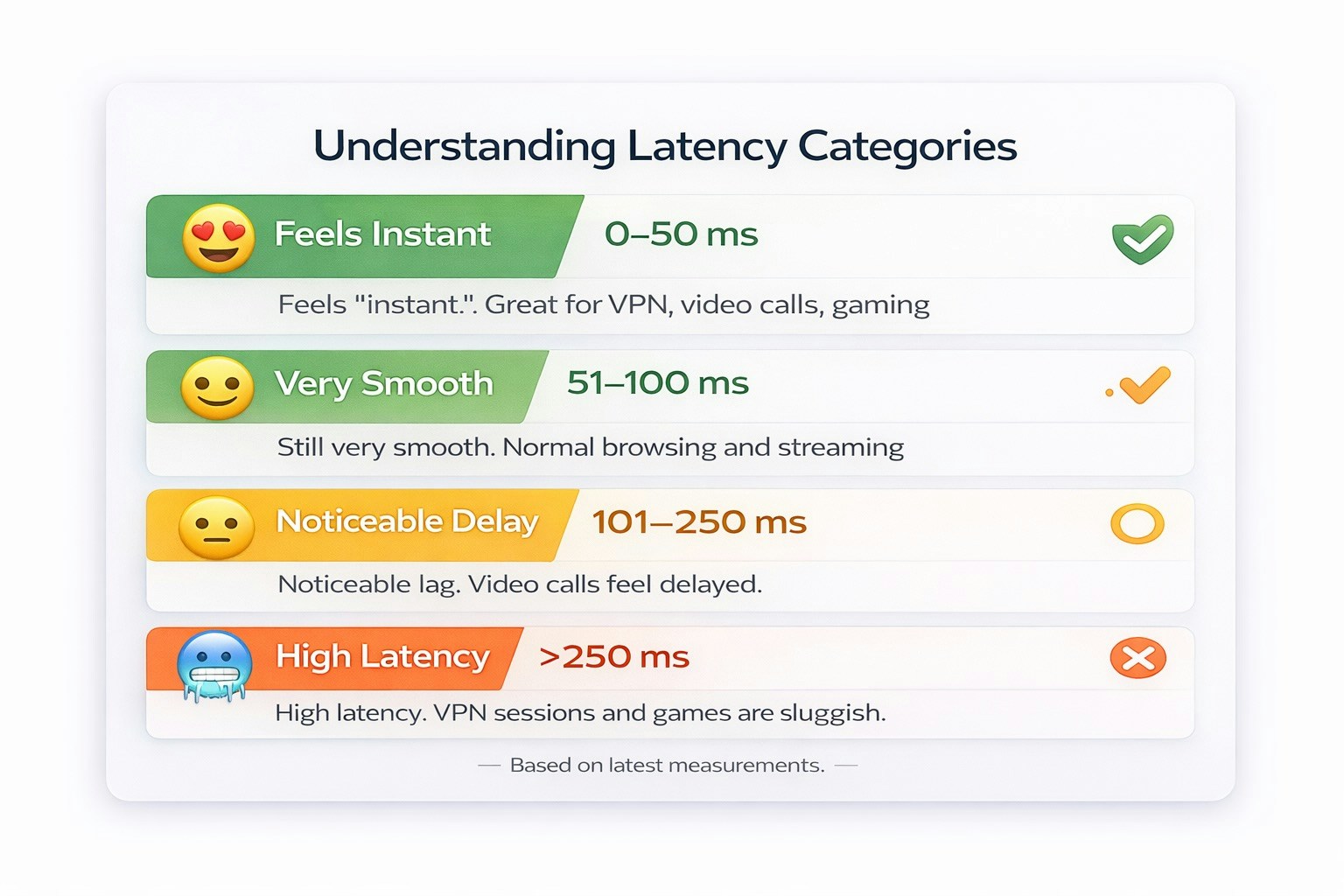 | Ping Feel | Latency |
| ---------------- | ---------- |
| Feels Instant | 0–50 ms |
| Very Smooth | 51–100 ms |
| Noticeable Delay | 101–250 ms |
| High Latency | 251+ ms |
This helps you quickly identify **the most responsive server locations**.
***
## Step 6 — filter locations
You can filter server locations based on latency performance.
Available filters include:
* **Feels Instant (0–50ms)**
* **Very Smooth (51–100ms)**
* **Noticeable Delay (101–250ms)**
* **High Latency (251ms+)**
This allows you to quickly find **the best VPS locations for your connection**.
***
## Step 7 — choose the best VPS location
Select the location with the **lowest latency and most stable results**.
For example:
| Location | Latency |
| ------------------- | ------- |
| Cyprus – Limassol | 13 ms |
| Germany – Frankfurt | 20 ms |
| France – Paris | 29 ms |
Lower latency typically means:
* faster SSH connections
* smoother remote desktop sessions
* better VPN performance
* lower response times for APIs and web applications
***
## When latency matters most
A **low ping VPS location** is especially important for:
### VPN Servers
Low latency improves browsing speed and connection responsiveness.
### Remote desktop (RDP)
Lower ping results in smoother mouse movement and screen updates.
### SSH Access
Fast response times improve terminal interaction.
### Trading Bots
Lower latency helps reduce execution delays.
### Gaming Servers
Players benefit from faster network response times.
***
## Factors that influence latency
Latency results may vary depending on several factors:
* your ISP routing
* geographic distance
* packet loss
* network congestion
* international routing paths
Because of this, **latency tests should be run from the same network where the VPS will be used**.
***
## Tip: test multiple times
For the most accurate results:
* run the latency test at different times
* compare several VPS locations
* choose the server with the most stable average latency
***
## Why use the EDIS Global latency test?
The EDIS Global latency test provides:
* **real-time latency measurements**
* **ping tests to dozens of VPS locations**
* **visual Ping Feel indicators**
* **global infrastructure coverage**
This makes it easy to choose the **best VPS hosting location based on your network performance**.
***
## Related Resources
* VPS Hosting Locations: [https://www.edisglobal.com/vps-hosting](https://www.edisglobal.com/vps-hosting)
* Free Latency Test: [https://www.edisglobal.com/free-latency-test](https://www.edisglobal.com/free-latency-test)
| Ping Feel | Latency |
| ---------------- | ---------- |
| Feels Instant | 0–50 ms |
| Very Smooth | 51–100 ms |
| Noticeable Delay | 101–250 ms |
| High Latency | 251+ ms |
This helps you quickly identify **the most responsive server locations**.
***
## Step 6 — filter locations
You can filter server locations based on latency performance.
Available filters include:
* **Feels Instant (0–50ms)**
* **Very Smooth (51–100ms)**
* **Noticeable Delay (101–250ms)**
* **High Latency (251ms+)**
This allows you to quickly find **the best VPS locations for your connection**.
***
## Step 7 — choose the best VPS location
Select the location with the **lowest latency and most stable results**.
For example:
| Location | Latency |
| ------------------- | ------- |
| Cyprus – Limassol | 13 ms |
| Germany – Frankfurt | 20 ms |
| France – Paris | 29 ms |
Lower latency typically means:
* faster SSH connections
* smoother remote desktop sessions
* better VPN performance
* lower response times for APIs and web applications
***
## When latency matters most
A **low ping VPS location** is especially important for:
### VPN Servers
Low latency improves browsing speed and connection responsiveness.
### Remote desktop (RDP)
Lower ping results in smoother mouse movement and screen updates.
### SSH Access
Fast response times improve terminal interaction.
### Trading Bots
Lower latency helps reduce execution delays.
### Gaming Servers
Players benefit from faster network response times.
***
## Factors that influence latency
Latency results may vary depending on several factors:
* your ISP routing
* geographic distance
* packet loss
* network congestion
* international routing paths
Because of this, **latency tests should be run from the same network where the VPS will be used**.
***
## Tip: test multiple times
For the most accurate results:
* run the latency test at different times
* compare several VPS locations
* choose the server with the most stable average latency
***
## Why use the EDIS Global latency test?
The EDIS Global latency test provides:
* **real-time latency measurements**
* **ping tests to dozens of VPS locations**
* **visual Ping Feel indicators**
* **global infrastructure coverage**
This makes it easy to choose the **best VPS hosting location based on your network performance**.
***
## Related Resources
* VPS Hosting Locations: [https://www.edisglobal.com/vps-hosting](https://www.edisglobal.com/vps-hosting)
* Free Latency Test: [https://www.edisglobal.com/free-latency-test](https://www.edisglobal.com/free-latency-test)